

Key Takeaways
- Uninstalling an app removes the program itself but often leaves behind cached files, saved data, and account data stored in the cloud.
- On Android, leftover app data can persist in internal storage even after the app icon is gone.
- Cloud-synced apps (like fitness or photo apps) keep your data on remote servers regardless of whether you delete the local app.
- Truly freeing up space requires clearing app data and cache before or after uninstalling.
- Some apps store purchases and settings tied to your account, not your device, so reinstalling often restores them automatically.
Why the tap-and-delete assumption falls short
Most people treat uninstalling an app the same way they would tossing a physical object in the trash: once it's gone, it's gone. The reality on both Android and iOS is more layered. When you delete an app, the operating system removes the application binary, which is the executable code that makes the app run. What it does not always remove are the supporting files the app created during its lifetime.
On iOS, Apple's system is relatively tidy. Deleting an app from the home screen removes the app along with its local data container in most cases. However, if you use iCloud to back up your device, that app's data may be preserved in your iCloud backup, still consuming your cloud storage quota. On Android, the situation varies more noticeably by device and Android version. Many manufacturers and older Android builds leave behind residual folders in internal storage, particularly in the /sdcard/Android/data/ directory, even after the app itself has been uninstalled. Those folders do not disappear on their own.
Before installing something new, it is worth knowing what it will actually store. The checklist before installing any new app covers the storage and permissions questions worth asking upfront.
Common myths about app deletion, corrected
The myths below come up repeatedly when people try to manage device storage. Each one reflects a reasonable but incomplete picture of how mobile operating systems handle apps and their data.
Myth
Deleting an app immediately frees up the full amount of space the app used.
Fact
You recover the space the app binary occupied, but cached files, saved data, and offline content often stay behind until manually removed.
App size as listed in an app store refers to the download size, not the total footprint after use. A 50 MB app can accumulate several gigabytes of locally stored content over time, such as downloaded podcasts, offline maps, or video cache. That content does not disappear when you uninstall the app through the standard long-press-and-delete method. You need to clear the app's data and cache separately, or use your device's built-in storage manager to identify and remove leftover folders.
Myth
Once you delete an app, all your personal data inside it is gone.
Fact
Data tied to a cloud account persists on the service's servers. Only locally stored data is removed, and even that depends on the platform and how you delete.
Apps that require an account, such as social media, cloud storage, or health apps, sync your activity to their servers. Uninstalling the app on your phone does not close your account or remove your data from that company's infrastructure. If you want your data deleted from a service, you generally need to submit a deletion request through the app's account settings or the company's privacy tools. In the United States, some states have laws that give residents the right to request data deletion from certain companies, but the mechanism is account-level, not device-level.
Myth
Deleting and reinstalling an app fixes performance problems by giving you a fresh start.
Fact
Reinstalling restores the same app with the same account data, because settings and progress are often synced to your account, not stored locally.
For apps that sync to a backend account, reinstalling retrieves your data from the server on first login, which puts you back where you started. If performance issues stem from a corrupted local cache rather than a server-side problem, clearing the cache (without uninstalling) usually resolves the issue more directly. Clearing the cache through Settings wipes temporary files while leaving your account and preferences intact.
Myth
Apps you delete can no longer collect data about you.
Fact
If the app's background processes were the only data source, then yes, uninstalling stops that collection. But data already collected remains with the provider.
An uninstalled app cannot run on your device, so it cannot actively collect new data. However, the data it already sent to its servers, location history, usage patterns, in-app behavior, remains there unless you explicitly request deletion. Some apps also share data with third-party advertising or analytics networks before you uninstall. Those records exist independently of whether the app is still on your phone.
Myth
The storage percentage shown after deleting an app reflects exactly how much you recovered.
Fact
Storage readings can lag, and some freed space gets reallocated to system caches before the displayed number updates.
Operating systems recalculate available storage periodically rather than instantly. On some Android devices, the system cache may fill reclaimed space within minutes, which is why a storage reading taken seconds after uninstalling can look nearly identical to the one before. Restarting the device often prompts a more accurate recalculation. The "Available" figure in device storage is also a net number that accounts for space reserved by the operating system for smooth functioning.
What you should actually do to reclaim storage
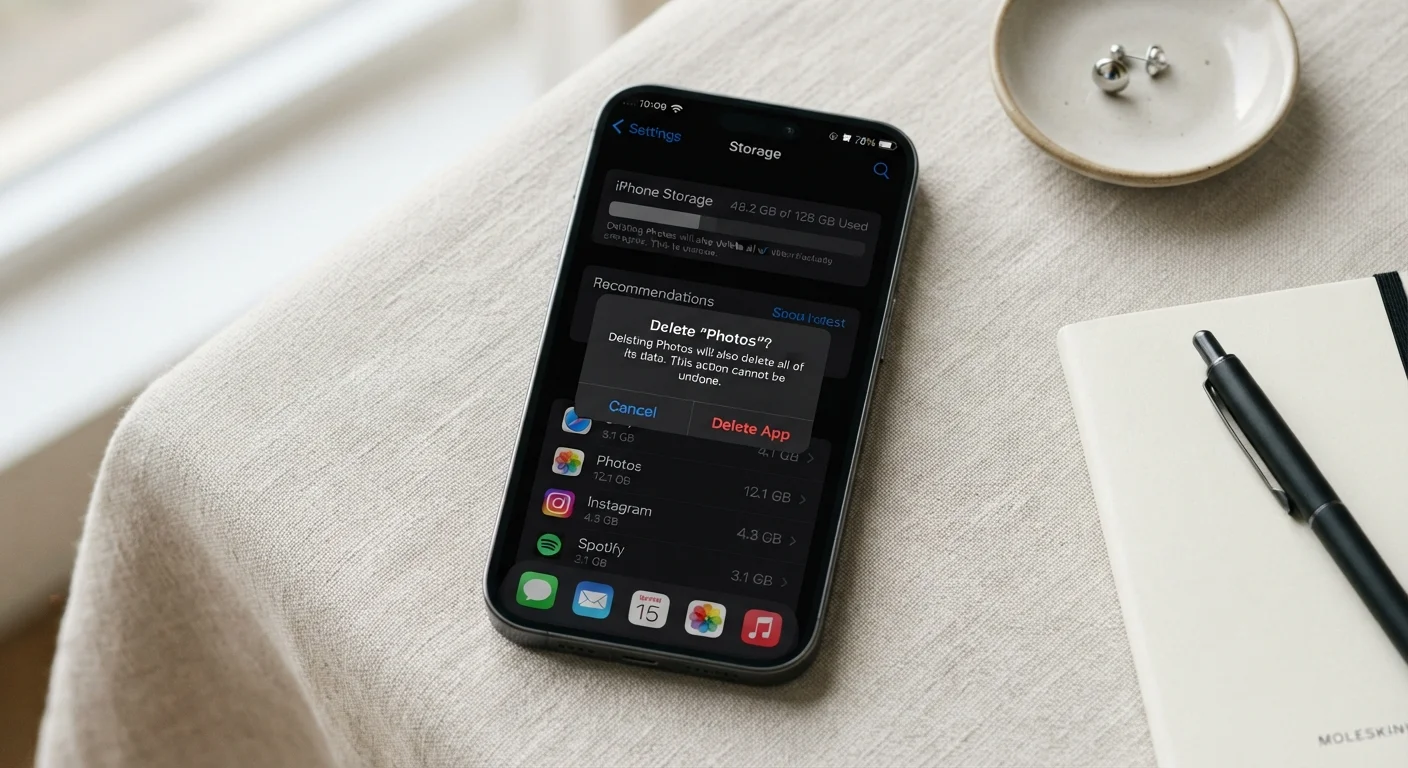
If your goal is to free up meaningful space, the order of operations matters. On Android, go into Settings, then Apps, select the app you want to remove, and tap "Clear Cache" and "Clear Data" before uninstalling. This removes locally stored temporary files and saved preferences that would otherwise stay on the device. On iOS, offloading an app (Settings > General > iPhone Storage > select app > Offload App) removes the app binary while keeping its documents and data locally, which is useful for apps you use infrequently. A full delete removes both.
For cloud-connected apps such as fitness trackers, note-taking tools, or photo editors, clearing local storage does not touch your account data on the service's servers. If you want that gone too, log into your account settings within the app or on the provider's website and delete your account or data before uninstalling.
Deleting certain apps can lock you out of your data
Some apps, particularly password managers, two-factor authentication tools, and local-only note apps, store data exclusively on your device. Deleting them without exporting or backing up your data first can make that information unrecoverable. Always export or back up before uninstalling any app that holds data you cannot recreate from another source.
Storage shown as "Other" or "System" in your device's storage breakdown often contains caches from multiple apps accumulated over time. Periodically reviewing per-app storage in your device settings gives a clearer picture than the app icons alone.