

Key Takeaways
- Some productivity apps request broad inbox access to deliver features like travel summaries, expense tracking, or automated replies.
- Granting inbox access means a third party can read, categorize, and sometimes store your email content.
- OAuth authorization is generally safer than sharing your email password directly with an app.
- You can usually revoke inbox access at any time through your email provider's security settings.
- The value of access depends entirely on what the app actually does with it and what its privacy policy says.
Automates time-consuming inbox sorting tasks
Apps that read email headers and labels can automatically file messages into categories, flag time-sensitive items, or unsubscribe from lists, without you touching each message manually.
Captures financial data without manual entry
Expense and budgeting tools can pull purchase receipts and subscription charges directly from confirmation emails, reducing the effort required to maintain an accurate spending record.
Consolidates travel information automatically
Travel organizer apps scan for booking confirmations and build a unified itinerary, which can be more reliable than manually copying details across apps or documents.
Uses OAuth rather than requiring your password
Most reputable apps use OAuth authorization, which means your actual email password is never shared with the app. You can revoke the token at any time from your email provider's security settings.
App servers may store copies of your email content
To deliver features like search or analytics, many apps copy message data to their own servers. If those servers are breached, your email content can be exposed even though your email account itself was not.
Privacy policies may allow third-party data sharing
Some apps share anonymized or aggregated email data with advertising partners or data brokers. Whether that sharing covers your data depends on the specific policy, which varies widely across tools.
Broad access scopes are hard to narrow after the fact
Many apps request full read access even when their core feature only needs partial access. Once granted, you generally cannot restrict the scope without revoking access entirely and reconnecting with a different account.
Forgotten connected apps accumulate over time
Apps you stopped using months ago may still hold valid access tokens unless you manually revoke them. Each active token is an access point that persists without ongoing reminders.
Sensitive email content carries higher risk
An inbox containing medical records, legal correspondence, or financial account details presents a more consequential exposure than a general-purpose inbox if an app's data is compromised or misused.
Our Verdict
Letting an app read your email can save real time and reduce friction in daily tasks. That convenience comes with genuine privacy trade-offs, particularly around data retention and third-party sharing. Whether the trade is worth making depends on how sensitive your inbox is, how transparent the app's data practices are, and whether you would actually use the feature enough to justify it.
People with high-volume inboxes who need automated sorting, expense capture, or travel organization, and who are comfortable reviewing privacy policies and managing access permissions.
What it means when an app requests inbox access
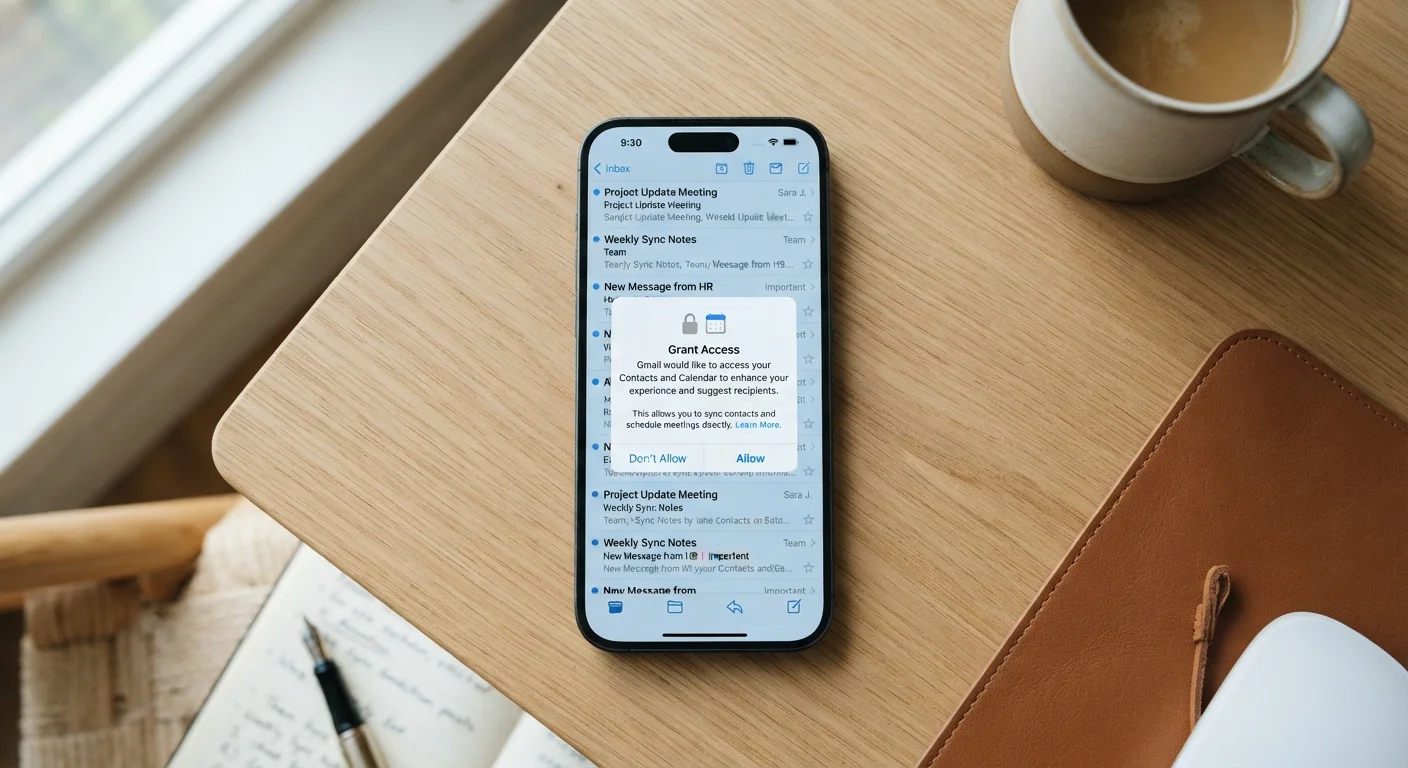
When a productivity app asks to connect to your email, it typically does so through an authorization protocol called OAuth. Instead of asking for your password, OAuth lets you grant the app a specific, revocable token of access. Your email provider (such as Google or Microsoft) issues that token, and the app uses it to read, organize, or act on messages.
What the app can actually do with that access varies. Some tools read only message headers (sender, subject, date) to build a timeline. Others read full message body text to extract receipts, flight confirmations, or invoice amounts. A smaller number can send or delete messages on your behalf if you grant those additional permissions.
The permission screen during setup usually lists the specific access levels requested. Reading that screen carefully, rather than tapping through it, is the most direct way to understand what you are agreeing to. For a broader pre-install habit, a practical pre-install checklist covers what to verify before granting any app access.
Advantages of granting inbox access
Automates time-consuming inbox sorting tasks
Apps that read email headers and labels can automatically file messages into categories, flag time-sensitive items, or unsubscribe from lists, without you touching each message manually.
Captures financial data without manual entry
Expense and budgeting tools can pull purchase receipts and subscription charges directly from confirmation emails, reducing the effort required to maintain an accurate spending record.
Consolidates travel information automatically
Travel organizer apps scan for booking confirmations and build a unified itinerary, which can be more reliable than manually copying details across apps or documents.
Uses OAuth rather than requiring your password
Most reputable apps use OAuth authorization, which means your actual email password is never shared with the app. You can revoke the token at any time from your email provider's security settings.
Finance-related apps that connect to your inbox can automatically capture receipts and subscription charges without manual entry. If you have considered a budgeting tool, how digital budgeting tools work explains how that data connection functions in practice.
Travel apps that read your inbox can consolidate flight, hotel, and rental confirmations into a single itinerary view. That same category of tool can sometimes handle routine tasks automatically; automation apps for everyday tasks covers what that kind of workflow tool can realistically handle.
Disadvantages and risks
App servers may store copies of your email content
To deliver features like search or analytics, many apps copy message data to their own servers. If those servers are breached, your email content can be exposed even though your email account itself was not.
Privacy policies may allow third-party data sharing
Some apps share anonymized or aggregated email data with advertising partners or data brokers. Whether that sharing covers your data depends on the specific policy, which varies widely across tools.
Broad access scopes are hard to narrow after the fact
Many apps request full read access even when their core feature only needs partial access. Once granted, you generally cannot restrict the scope without revoking access entirely and reconnecting with a different account.
Forgotten connected apps accumulate over time
Apps you stopped using months ago may still hold valid access tokens unless you manually revoke them. Each active token is an access point that persists without ongoing reminders.
Sensitive email content carries higher risk
An inbox containing medical records, legal correspondence, or financial account details presents a more consequential exposure than a general-purpose inbox if an app's data is compromised or misused.
Even when an app uses OAuth, the authorization token can potentially be stolen if the app's own servers are compromised. That is a separate risk from your email password being exposed, but it is still a real one. Revoking access promptly when you stop using an app limits the window of exposure.
Browser-based email tools carry related considerations; browser extensions with hidden risks covers how web-layer tools interact with account data in comparable ways.
How to evaluate whether a specific app is worth trusting
Start with the privacy policy. Look for three things: whether the app stores your email content on its own servers, whether it shares or sells that content with third parties, and how long it retains data after you disconnect. Many policies address these points plainly; ones that do not are a signal worth noticing.
Check when the app was last updated and whether the developer responds to user reviews about privacy concerns. An app that has not been maintained in over a year may still hold access tokens even if the team behind it is no longer active.
After you connect an app, visit your email provider's security settings (usually listed under 'Third-party apps' or 'Connected apps'). You will see every app currently holding access. Review that list periodically and remove anything you no longer use.
When inbox sensitivity changes the calculation
Not all inboxes carry the same risk profile. An inbox used mainly for newsletters and calendar invites is less sensitive than one containing medical correspondence, financial account alerts, or legal documents. If your inbox holds high-sensitivity content, the bar for granting third-party access should be higher, and you may want to consider using a separate email address for tools that need inbox connectivity.
The sensitivity of your inbox matters when weighing access decisions. An inbox that contains medical correspondence, legal documents, or financial account details carries more risk if exposed than one used primarily for newsletters and work scheduling.