

Key Takeaways
- Most budgeting apps connect to bank accounts through read-only data aggregators, not direct bank access.
- Automated categorization saves time but regularly produces errors that require manual correction.
- Free tiers often come with data-sharing trade-offs worth reading the privacy policy to understand.
- A budgeting app is a tracking tool, not a substitute for a financial plan or professional advice.
- Security practices vary across apps; checking for encryption standards and two-factor authentication matters.
- The 50/30/20 framework pairs well with budgeting apps as a starting structure for allocating income.
Automatic transaction import saves manual entry time
Connecting accounts means new transactions appear without you logging them by hand, which removes the main reason people abandon paper or spreadsheet budgets.
Visual summaries make spending patterns visible
Charts and category totals let you see in seconds whether dining spending has crept up or whether a subscription you forgot about is still running.
Spending alerts can interrupt habitual overspending
Most apps let you set a monthly limit per category and send a notification when you approach or cross it, which creates a checkpoint before the next purchase.
Historical data builds a realistic spending baseline
After two or three months of data, you have actual averages for irregular expenses like car maintenance or medical co-pays, which makes future budgets more accurate.
Automatic categorization errors require regular correction
Algorithms misread merchant names often enough that a hardware store charge shows up as "Entertainment" or a restaurant appears as "Groceries." Uncorrected errors distort every summary that follows.
Free tiers frequently involve data trade-offs
Apps that charge nothing for basic use often generate revenue through data licensing or by presenting financial product offers. The privacy policy spells out what is shared and with whom.
Account connection failures disrupt tracking continuity
Banks periodically update their systems in ways that break aggregator connections, sometimes for days. Gaps in the transaction feed mean gaps in your spending history.
The tool does not enforce behavior change on its own
Awareness of overspending and actually changing it are separate steps. Many users find the app accurately documents a problem without providing the structure to address it.
Data passes through multiple third-party systems
Your transaction history moves through your bank, a data aggregator, and the app itself. Each system has its own security posture and privacy terms, all of which affect your data.
Our Verdict
Digital budgeting tools are genuinely useful for people who want a clearer picture of their day-to-day spending and have the patience to maintain the data. They reduce the friction of manual tracking but introduce real questions around data privacy and accuracy that you should resolve before connecting your accounts. They work best as one part of a broader financial approach, not as a standalone solution.
Adults who want to move from rough spending guesses to concrete numbers and are willing to review the app's data weekly to keep it accurate.
What budgeting apps actually do
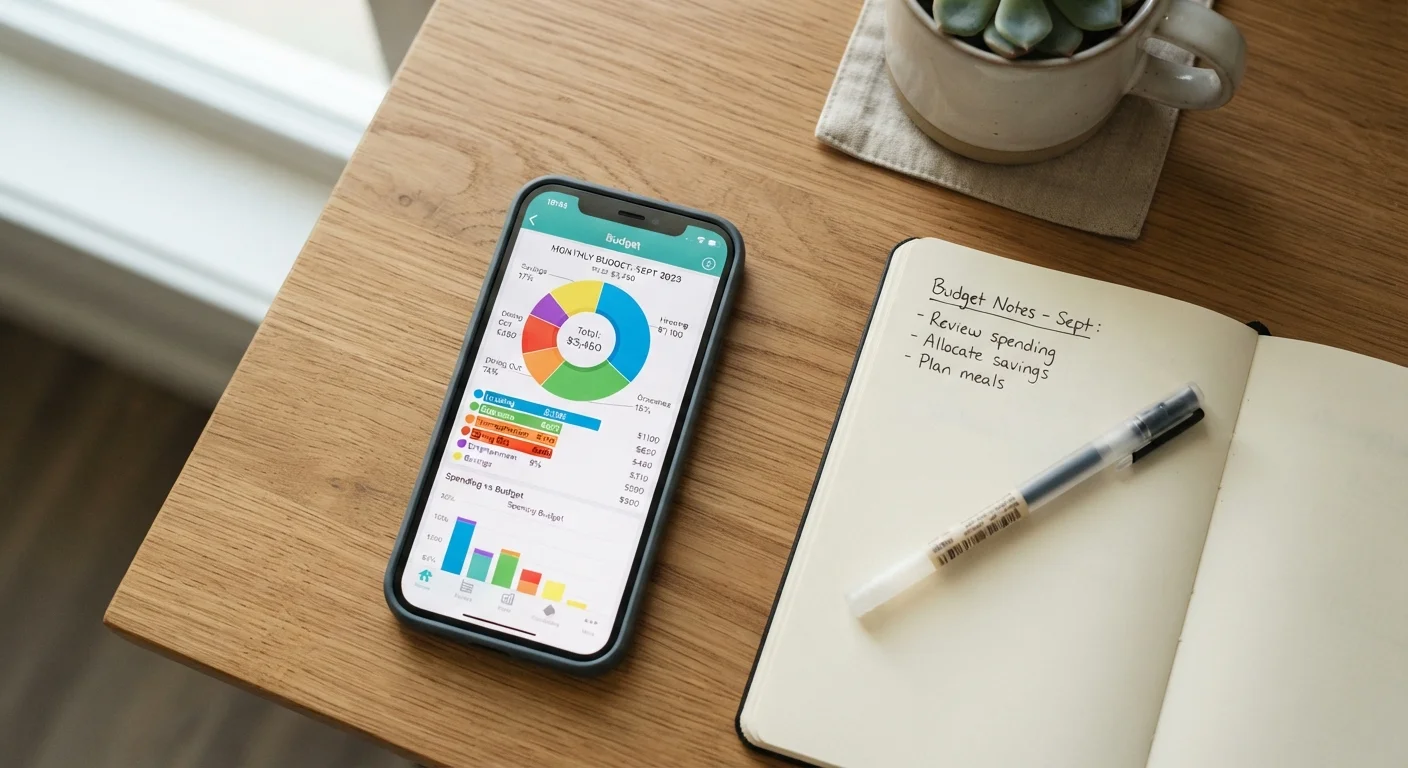
A digital budgeting tool is software that collects your financial transaction data, sorts it into spending categories, and presents it visually so patterns are easier to spot. The core mechanism is straightforward: you connect the app to one or more financial accounts, and it pulls in transaction history automatically.
Most apps use a third-party data aggregator, a service that sits between the app and your bank, to retrieve that information. The connection is typically read-only, meaning the app can see transactions but cannot move money. The aggregator authenticates with your bank using your credentials or, increasingly, through a direct bank-approved API (application programming interface) connection. Understanding this layer matters because your data passes through at least three systems: your bank, the aggregator, and the app itself.
Once transactions are imported, the app applies rules to label them. A charge from a grocery chain gets tagged as "Food," a recurring charge gets tagged as "Subscriptions." You can usually edit these labels or create custom categories. The app then totals each category over a chosen time period, compares it to any spending limits you set, and shows you where the money went.
If you find the concept of automated financial tools interesting in other areas of your life, this overview of automation apps covers what that category of tool can realistically handle.
The real advantages
Automatic transaction import saves manual entry time
Connecting accounts means new transactions appear without you logging them by hand, which removes the main reason people abandon paper or spreadsheet budgets.
Visual summaries make spending patterns visible
Charts and category totals let you see in seconds whether dining spending has crept up or whether a subscription you forgot about is still running.
Spending alerts can interrupt habitual overspending
Most apps let you set a monthly limit per category and send a notification when you approach or cross it, which creates a checkpoint before the next purchase.
Historical data builds a realistic spending baseline
After two or three months of data, you have actual averages for irregular expenses like car maintenance or medical co-pays, which makes future budgets more accurate.
For people who have never systematically tracked spending, the shift from guessing to seeing concrete numbers can change how they make decisions. A framework like the 50/30/20 rule is far easier to apply when your actual category totals are already calculated for you.
The real drawbacks
Automatic categorization errors require regular correction
Algorithms misread merchant names often enough that a hardware store charge shows up as "Entertainment" or a restaurant appears as "Groceries." Uncorrected errors distort every summary that follows.
Free tiers frequently involve data trade-offs
Apps that charge nothing for basic use often generate revenue through data licensing or by presenting financial product offers. The privacy policy spells out what is shared and with whom.
Account connection failures disrupt tracking continuity
Banks periodically update their systems in ways that break aggregator connections, sometimes for days. Gaps in the transaction feed mean gaps in your spending history.
The tool does not enforce behavior change on its own
Awareness of overspending and actually changing it are separate steps. Many users find the app accurately documents a problem without providing the structure to address it.
Data passes through multiple third-party systems
Your transaction history moves through your bank, a data aggregator, and the app itself. Each system has its own security posture and privacy terms, all of which affect your data.
Privacy is the concern that deserves the most deliberate attention. Some free apps generate revenue by selling aggregated or anonymized user data to third parties. Reading the privacy policy before connecting an account is not optional if this matters to you. For a broader look at how apps handle sensitive access, this article on apps that request inbox access walks through a useful evaluation framework.
Security questions worth asking before you connect
Before linking any financial account to a budgeting app, check for two specific things: whether the app uses two-factor authentication (a second verification step beyond your password), and whether it states that data is encrypted both in transit and at rest. Reputable apps disclose both in their security documentation.
Also check whether the app stores your bank login credentials or uses a token-based system. Token-based connections, where the bank issues a temporary access token rather than the app storing your password, carry lower risk if the app is ever compromised.
App connections and bank security
Some banks allow you to revoke a budgeting app's access directly from your online banking dashboard, without changing your password. If you stop using an app, revoking access there is cleaner than simply deleting the app. Check your bank's "connected apps" or "third-party access" settings to see what is currently authorized.
If you use browser extensions alongside a budgeting app, this guide to browser extension risks covers how to audit what those tools can access.
What a budgeting app cannot replace
A budgeting app tells you what happened with your money. It does not tell you what to do with it. Setting savings targets, deciding how to handle debt, choosing investment vehicles, and planning for major life expenses all require judgment the software does not have.
If you want a structured way to evaluate where your finances stand before or after using a tool like this, this savings health check has a useful set of questions to work through. For decisions about your specific financial situation, a licensed financial adviser is the appropriate resource. This article is general financial information and education, not personalized financial advice.