

Our Verdict
Each form does the same core job: deliver streaming apps to a TV screen. The difference is in portability, processing power, and how long the software stays current. A streaming stick suits travelers and renters; a streaming box suits home theater setups that need more headroom; a smart TV with no separate device suits anyone who wants fewer cables.
| Best for | Recommended |
|---|---|
| Renters, travelers, or anyone moving a device between screens | Streaming stick |
| Home theater setups with a projector or older non-smart display | Streaming box |
| Anyone wanting a single device with no extra cables or remotes | Smart TV built-in platform |
| Smart TV owners whose built-in software feels slow or outdated | Streaming stick or box added to the TV |
The three forms and what separates them
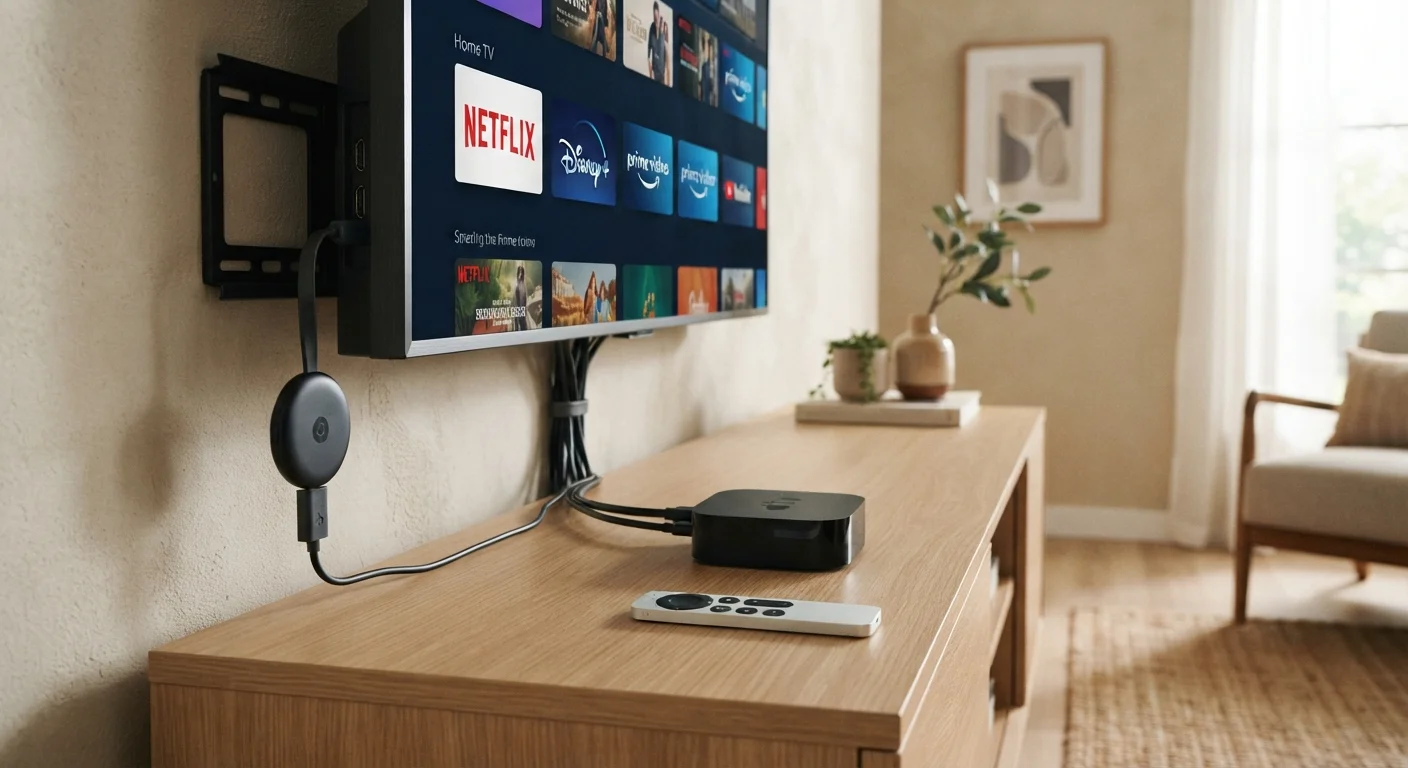
Streaming hardware falls into three categories: sticks, boxes, and the software built into smart TVs. All three connect to a television and run apps such as Netflix, Hulu, or Disney+. The differences come down to form, processing power, and how the hardware is updated over time.
A streaming stick is a small dongle that plugs directly into an HDMI port. It draws power from a USB port on the TV or a wall adapter. Because the stick sits behind or beside the TV, it travels easily. The tradeoff is that sticks have modest processors and limited internal storage, which can show as slower load times on apps with heavy graphics.
A streaming box connects to the TV via an HDMI cable rather than plugging in directly. Boxes sit on a shelf or entertainment unit and typically have faster processors, more RAM, and more storage than sticks. Some support 4K HDR (high dynamic range) output, Dolby Atmos audio passthrough, and USB ports for external drives. They are less portable but more capable for demanding setups.
A smart TV has the streaming platform built into the television itself. There is no separate device to buy, configure, or lose a remote for. The software varies by manufacturer: some TVs run Roku, some run Google TV, others use proprietary platforms. The limitation is that TV manufacturers typically support software updates for a few years, after which the platform may fall behind newer app requirements even though the screen itself still works fine.
How they compare on key criteria
| Streaming stick | Streaming box | Smart TV built-in | |
|---|---|---|---|
| Connection to TV | Direct HDMI plug-in | HDMI cable | No separate connection |
| Portability | High: fits in a bag | Low: shelf device | None: built into TV |
| Processing power | Modest | Generally higher | Varies by TV model |
| Software update control | Manufacturer updates device | Manufacturer updates device | TV maker controls updates |
| Setup required | Minimal: plug in and pair | Moderate: cable and power | None beyond TV setup |
| Works with projectors | Yes, via HDMI | Yes, via HDMI cable | No |
For a plain-language look at what ports and cables each type relies on, see the no-jargon guide to device ports.
When built-in smart TV software is enough
If you buy a TV made in the last three or four years that runs a major platform such as Roku TV, Google TV, or webOS, the built-in software will handle everything most households need. App selection on these platforms is broad, voice search works, and setup takes minutes. The only scenario where built-in software becomes a problem is age: a TV purchased several years ago may be running a version of its platform that streaming services no longer update with new features, or that runs noticeably slowly.
Adding a streaming stick or box to an older smart TV is a common fix. The external device runs its own, more current software through the same HDMI port, and the TV's built-in platform is simply ignored.
Portability and secondary screen use
Streaming sticks have a practical use that boxes and built-in platforms cannot match: portability. A stick weighs almost nothing and fits in a bag. Travelers who want their own streaming setup in a hotel room, or renters who move frequently, will find a stick far more convenient than carrying a box. Most sticks also work with a projector as long as it has an HDMI input.
Boxes are not designed for portability, but they do work well as the primary device in a home theater. If you are connecting to a receiver or soundbar that passes HDMI through to the TV, a box with proper audio passthrough handles that chain more reliably than most sticks. Some boxes also connect to a smart speaker ecosystem for voice control without a separate speaker purchase.
Software updates and long-term support
This is where the built-in smart TV platform has a genuine disadvantage. When a manufacturer stops issuing updates for a TV's software, the apps on that TV may start to lag behind, lose features, or eventually stop working as services update their own apps to require newer system versions. The screen may still display a perfect picture while the software feels years out of date.
A streaming stick or box is a separate product with its own support cycle. If it becomes outdated, you replace the stick, not the TV. That separation of hardware from software gives more control over how long the full system stays current.
For readers exploring other types of connected devices, the digital tools and apps hub covers software and online tools that work alongside this hardware.